Keyboard Tester Statistics
Keys Tested
Total Presses
Coverage
Stuck Keys
Last Key Pressed
KeyCode: —
Currently Held
Stuck Key Alerts
Controls
Press multiple keys together. Red color will show ghosting issue.
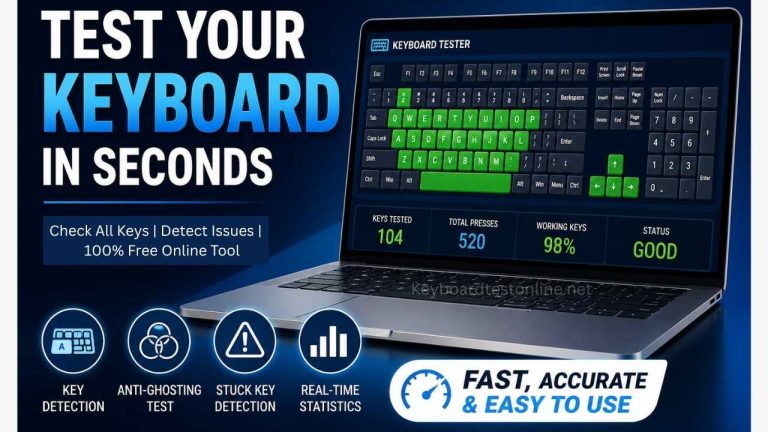
Test every key instantly with a clean, fast, browser-based tool built for real users. Whether you are checking a laptop, desktop, wireless, gaming, or Mac keyboard, this tool makes it easy to see what’s working and what’s not. You can quickly identify unresponsive keys, stuck inputs, and issues like ghosting or poor key rollover.
It also supports key highlighting, real-time statistics, ghosting mode, and stuck key alerts. It works smoothly across Windows, macOS, and Linux, making it accessible for all users. This page is designed to clearly highlight these features for both visitors and search engines.
Check Your Keyboard in Seconds
If a key feels delayed, unresponsive, or inconsistent, there is no need to guess. Just press any key and watch the response on screen. This online keyboard checker provides instant visual feedback, helping you confirm whether each input signal is detected correctly in browsers like Google Chrome, Mozilla Firefox, Microsoft Edge, and Safari.
It offers a simple way to diagnose typing issues without installing software, updating drivers, or navigating complex settings.
People often use this tool when a key stops working, after accidental spills, before buying a used device, or when comparing mechanical and membrane keyboards. It is also useful for verifying function keys, arrow keys, numpad input, shortcut combinations, and media controls. For frequent typists, gamers, and professionals, this quick check removes uncertainty.
How the Tool Works
Using the tool is simple. Press any key and check the matching key on the virtual layout. If it lights up, the input is detected. If not, the issue could be related to hardware, connection, or browser limitations such as USB or Bluetooth input detection.
This tool helps identify more than just non-working keys. It also highlights deeper input issues:
Ghosting
Ghosting occurs when multiple keys are pressed together but not all are registered correctly. This is important for gaming, fast typing, and shortcut-heavy tasks. The built-in mode allows you to test multiple inputs at once.
Key Rollover
Rollover shows how many keys can be registered simultaneously. Strong rollover performance is essential for gaming, coding, and fast typing environments.
Stuck Keys
A stuck key can cause repeated or missing input. The tool helps detect keys that behave unusually, often due to dust, liquid damage, or worn switches.
Why People Use This Online Tool
A keyboard checker is useful for both everyday use and troubleshooting. Common situations include:
- A key stops responding over time
- Incorrect characters appear while typing
- Testing a new laptop or external keyboard
- Checking wireless keyboard connectivity
- Verifying a second-hand device before purchase
- Testing anti-ghosting performance for gaming
- Confirming shortcuts, function keys, or numpad input
- Identifying slow or delayed key response issues
It is also helpful when comparing different keyboard types.
Mechanical keyboards are often more responsive, while membrane keyboards feel softer. A proper test helps evaluate real performance instead of relying only on feel.
Built for Fast Testing Results
Key Detection
See which keys respond instantly.
Total Press Count
Track how many inputs are made during testing.
Coverage
Measure how much of the keyboard has been tested.
Problem Keys
Identify keys that are unresponsive or inconsistent.This makes troubleshooting faster and more accurate.
Works Across All Devices
Different users rely on different setups, and the tool adapts accordingly. It supports Windows, macOS, and Linux users, as well as laptops, desktops, and external keyboards.
It also works with wireless devices and compact layouts such as 60%, 75%, and tenkeyless (TKL) keyboards. The focus is on real-world usability, not theory.
Key Features of This Keyboard Checker
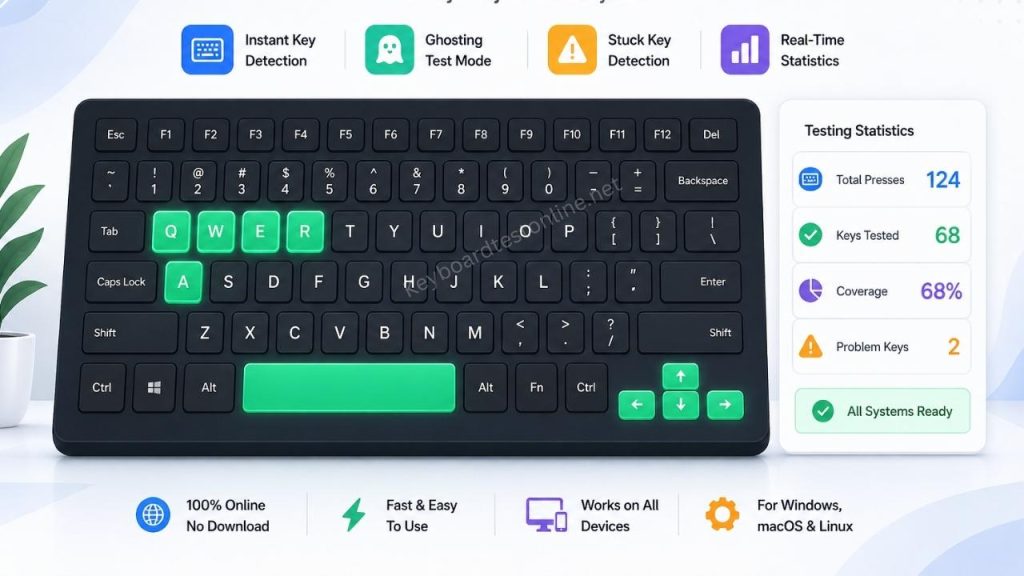
When a key is pressed, the tool instantly displays its response on the screen. This allows users to quickly verify whether each key is working properly without any delay. It is especially useful for fast troubleshooting and daily keyboard checks.
Ghosting Test Mode
This feature lets users press multiple keys at the same time to check if all inputs are detected correctly. It is very important for gamers and professionals who rely on accurate multi-key combinations and smooth performance.
Stuck Key Detection
The tool helps identify keys that remain active even after being released. This makes it easier to detect mechanical issues, dust problems, or worn-out switches inside the keyboard.
Real-Time Statistics
Users can monitor live data such as key press count, test progress, and response accuracy. This helps in understanding overall keyboard performance in a structured and clear way.
Browser-Based Access
No installation or setup is required. The tool runs directly in any modern browser, making it quick, lightweight, and easy to use on any device.
Mobile-Friendly Layout
The interface automatically adapts to different screen sizes, so users can comfortably test their keyboard on mobile, tablet, or desktop without any layout issues.
Hardware or Software Issue?
Keyboard problems can come from different sources. Sometimes it is hardware, and sometimes it is related to drivers, browser settings, or connectivity.
If a key fails here but works elsewhere, the issue may be temporary. If it consistently fails across tests, it is likely hardware-related. This makes testing a practical first step before repair or replacement.
For Gamers, Typists, and Everyday Users
This tool is useful beyond troubleshooting. Gamers can check input limits and anti-ghosting. Writers can detect delayed or repeated characters. Office users can verify essential keys like backspace, enter, spacebar, and shortcuts.
Laptop users can also confirm performance after extended use or minor damage. The goal is to provide a clear and reliable way to check keyboard performance quickly.
Keyboard Test Online Without the Hassle
No downloads or setup required. Simply press keys and view results instantly. It is a fast way to identify input issues and confirm performance.
Start Testing Your Keyboard Now
A properly working keyboard should respond to every key. If something feels off, this tool helps you find the issue immediately. Use the virtual layout and real-time feedback to confirm performance for daily use, gaming, or professional tasks.
Start pressing keys now and see instant results.
What Makes This Keyboard Checker Useful
A reliable keyboard checking tool does more than highlight keys. It helps users clearly identify whether the issue is related to hardware, browser, or connection problems. Instead of guessing, users can test every key in real time and detect hidden faults that are not visible during normal typing.